Online Editing
AgrEGG supports an online editing workflow for imported data. In the application this feature is commonly referred to as the Composer.
The goal of the Composer is to let users work on data directly in the platform instead of preparing a full upload file every time a correction or integration is needed.
When to use it
Typical use cases are:
fix validation errors online after an import attempt;
update data already loaded for a given business unit and period;
create a new editing session starting from an empty dataset;
continue an editing session that has already been opened but not yet finalized.
How users access it
The exact buttons depend on the enabled configuration, but the workflow exposed by the application is:
if a file import result contains validation errors, the user may be offered an option to edit and fix the data online;
from the import page, a user can open the Composer for a selected Business Unit and period;
if a session for the same Business Unit and period is already open, the user is asked whether to enter that existing editing page;
if no session is open, the user can either:
create a new empty Composer session;
or copy the previously uploaded data for the same period and edit that data online.
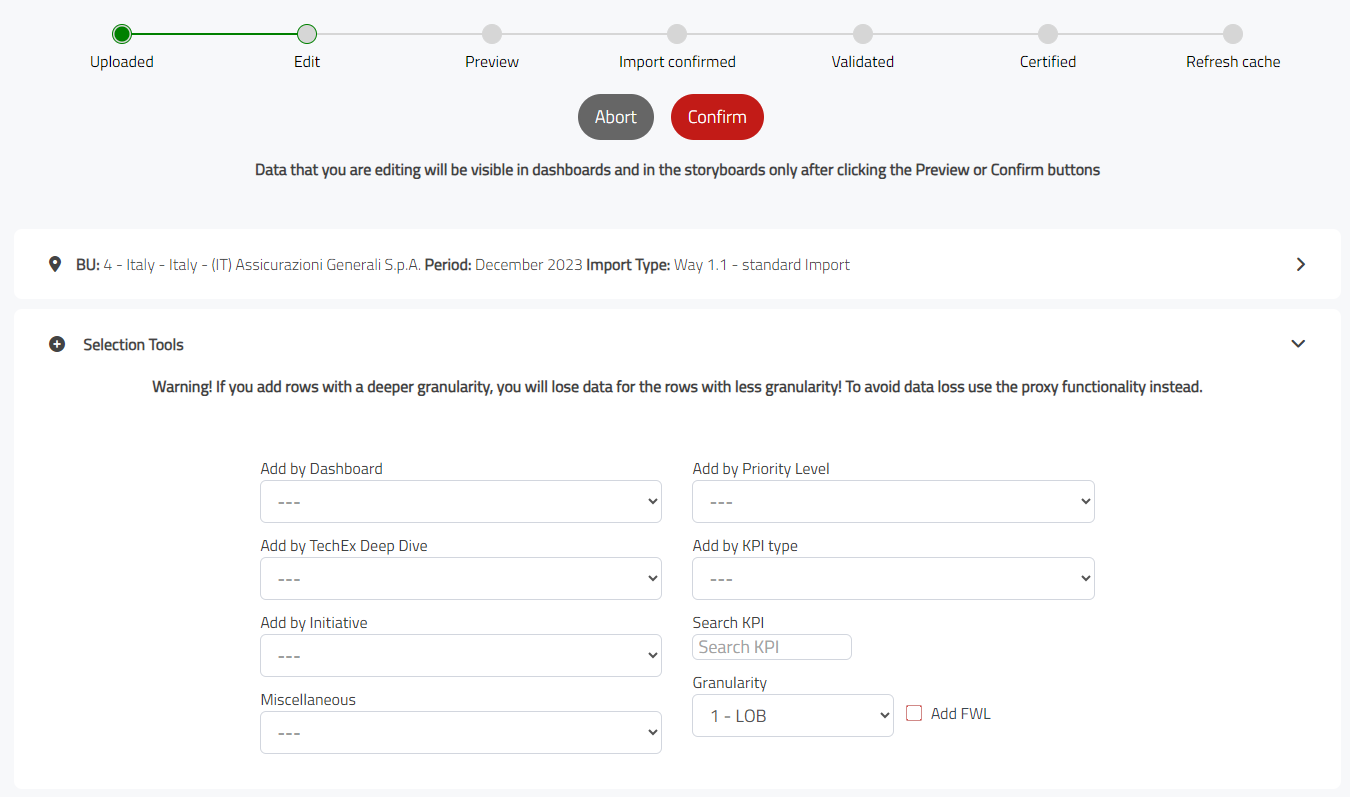
Main behaviors
The Composer is session-based. This means edits are not immediately treated as final confirmed data.
Important behaviors visible in the application are:
an open editing session is tracked per Business Unit and period;
dashboards can show alerts when data has been edited but not yet made permanent;
users can reopen the same editing session and continue working on it;
a modified file can be generated from the Composer session;
if the underlying data is certified, the platform may require a permission / reimport flow before editing can proceed.
Building the working structure
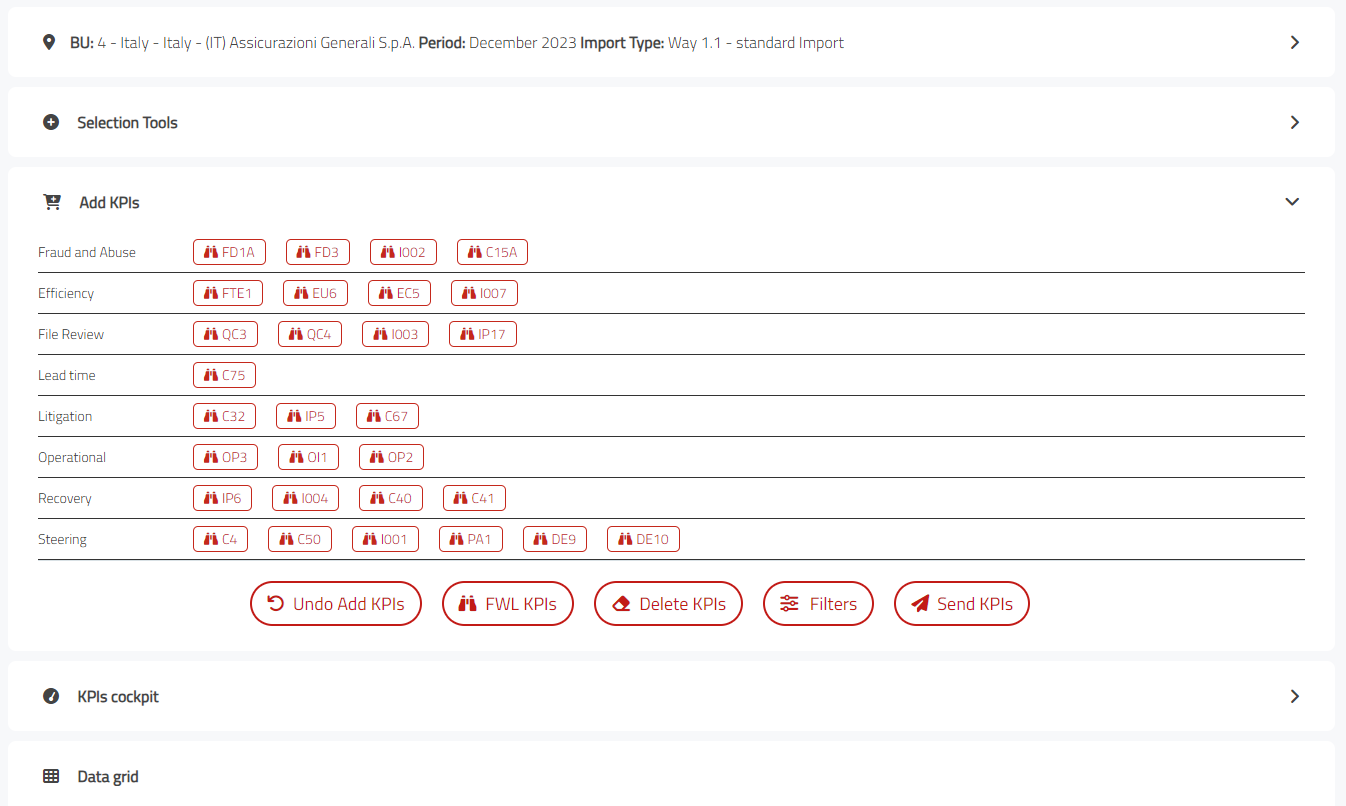
Before editing values, users may need to extend the current structure with additional KPIs or with combinations that were not part of the initial dataset.
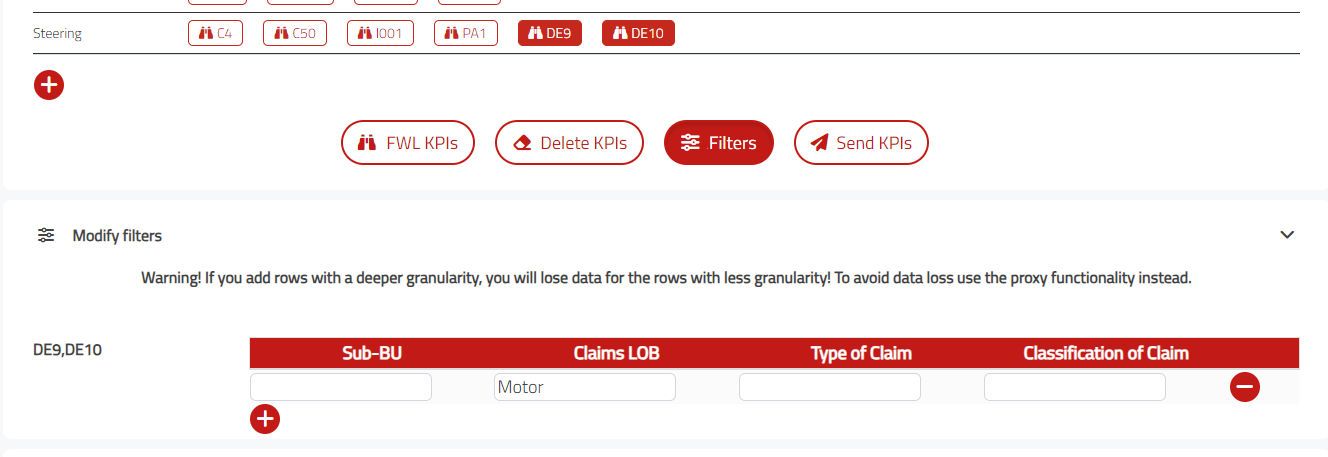
Typical actions available in this phase are:
inspect the KPIs already available in the current session;
add extra KPIs to the working structure;
adjust filters so that the editing scope matches the intended business perimeter;
move from structure preparation to direct value editing.
Editing in the grid
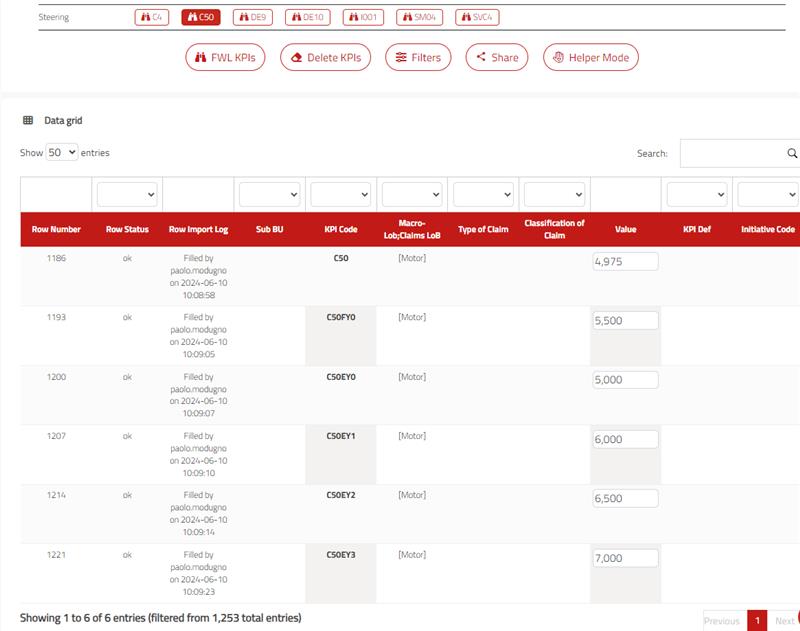
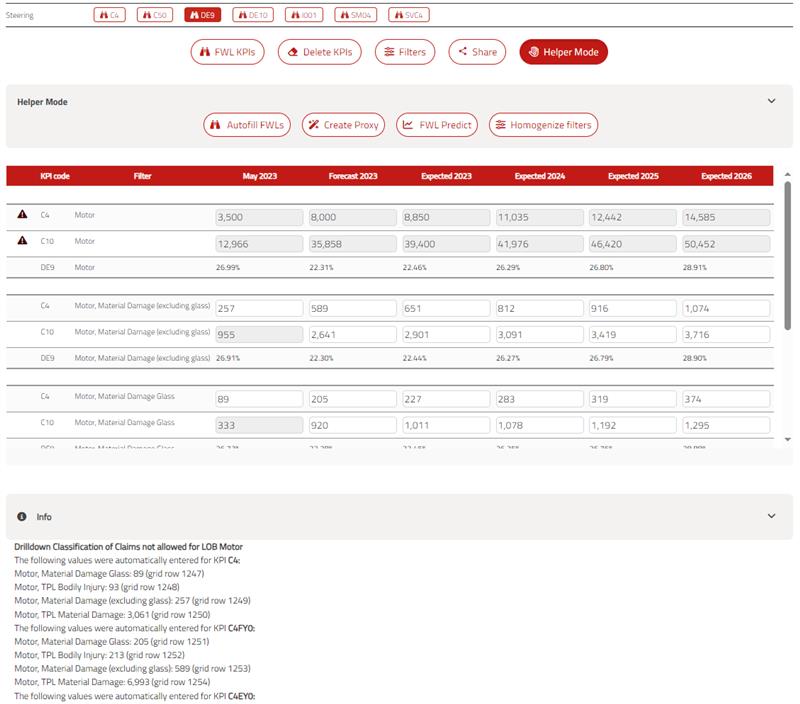
The grid view is the most direct way to change data row by row inside the Composer session.
In general, the grid is useful when users need to:
review the values currently loaded for the selected scope;
enter missing figures or correct imported values;
work on a tabular representation before proceeding to confirmation.
Editing with helper tools
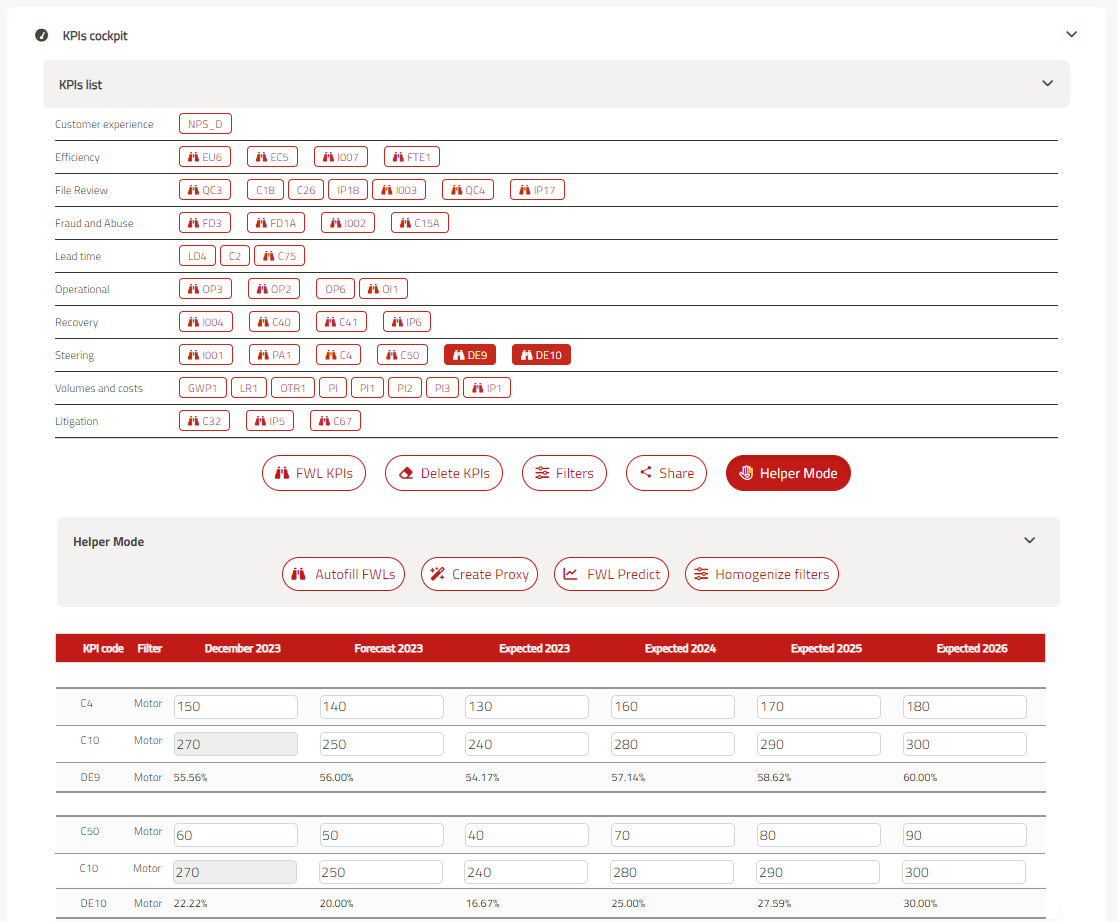
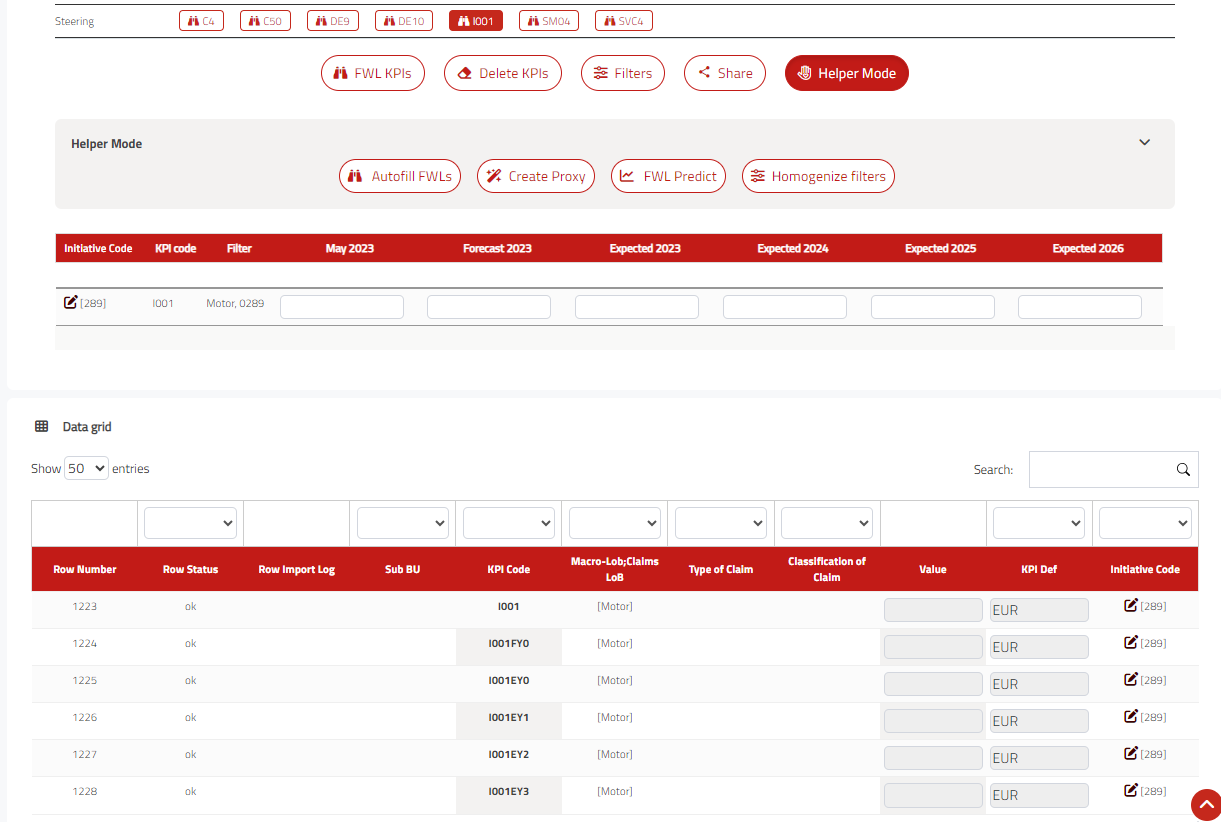
Some configurations expose helper-oriented editing modes in addition to the basic grid.
These helper flows are meant to support operations such as:
guided editing on a reduced set of dimensions;
assisted completion of values;
navigation between related data points without rebuilding the import file externally.
Prediction and target support
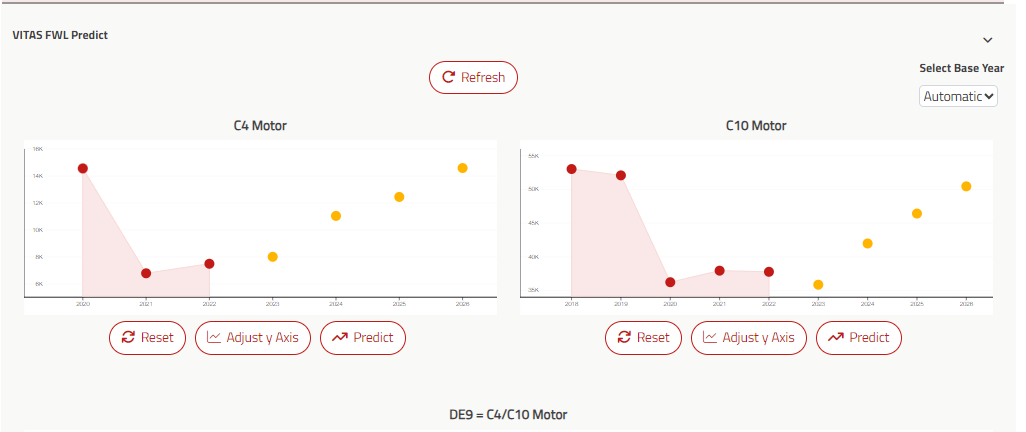
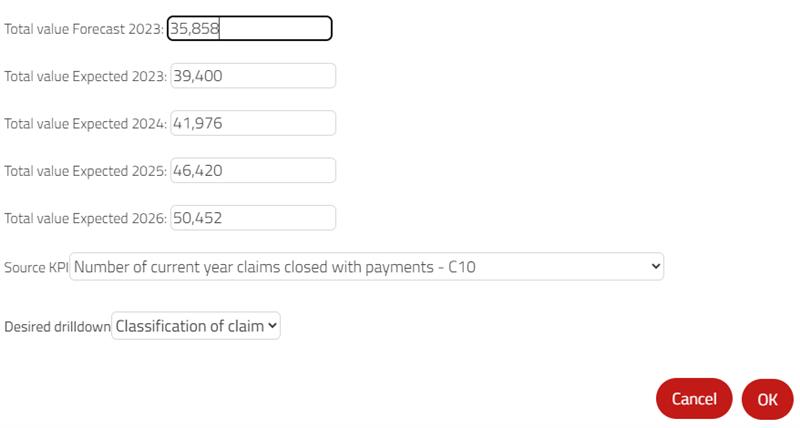
Depending on project configuration, the Composer may also provide assisted tools for target definition and forecast-oriented editing.
This kind of workflow can include:
visual support to estimate values from historical information;
target setting dialogs;
propagation or homogenization options applied inside the editing session.
Initiatives and shared editing
The online editing workflow can also cover collaborative or structured update scenarios beyond a single user editing values in place.
Examples include:
initiative-oriented editing flows;
reopening and continuing work on shared forms;
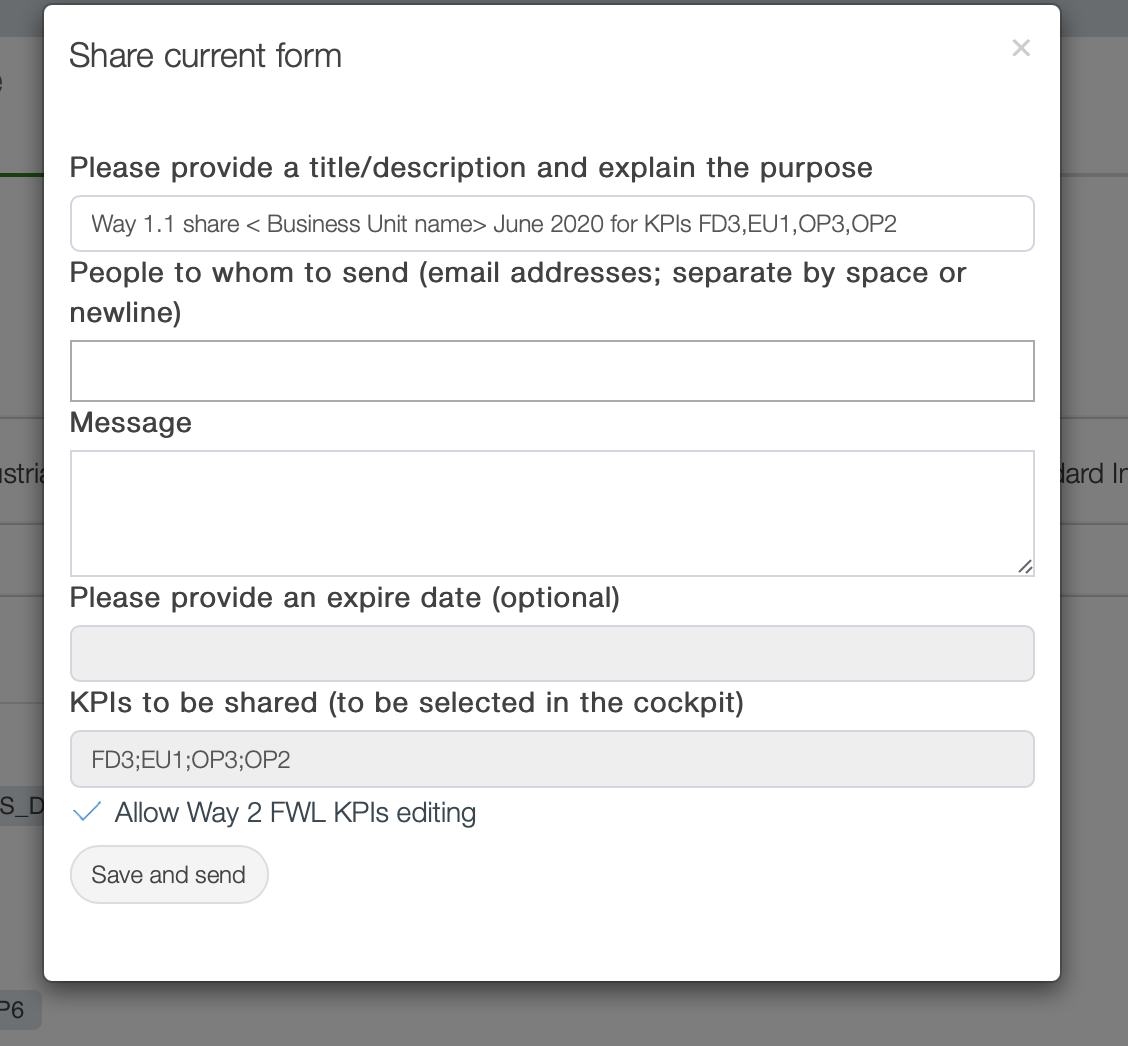
sharing the current editing context with other users;
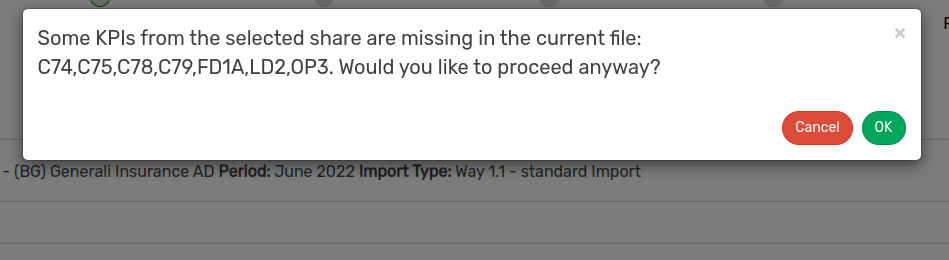
validating whether the shared scope contains all required KPIs.
Previewing edited data
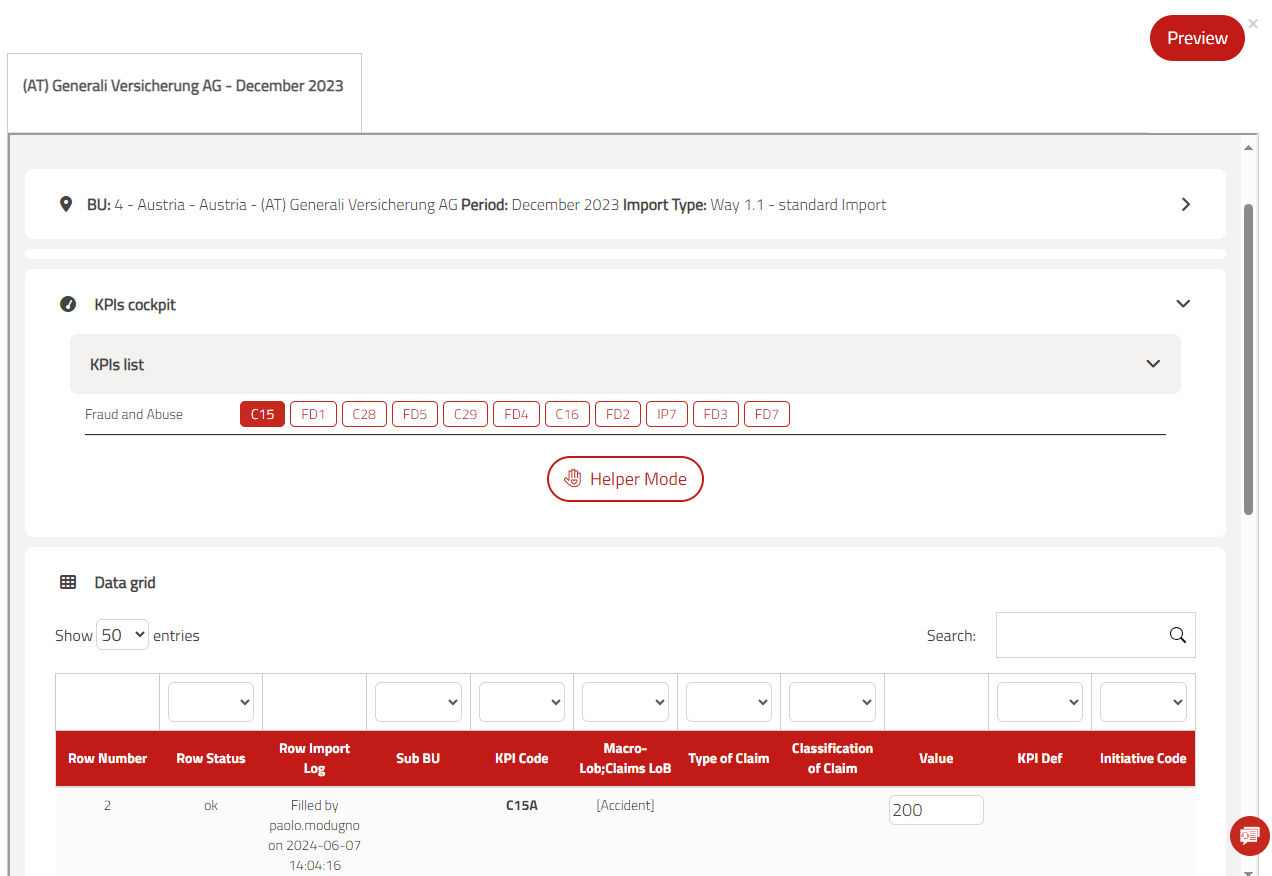
Before finalizing the session, users can review the edited dataset in a consolidated view.
This preview phase is useful to:
verify that the intended scope, period, and import type are correct;
review KPI selections and the current data grid content;
spot missing values, unexpected combinations, or edits that still need adjustment;
decide whether to return to the editing step or proceed toward finalization.
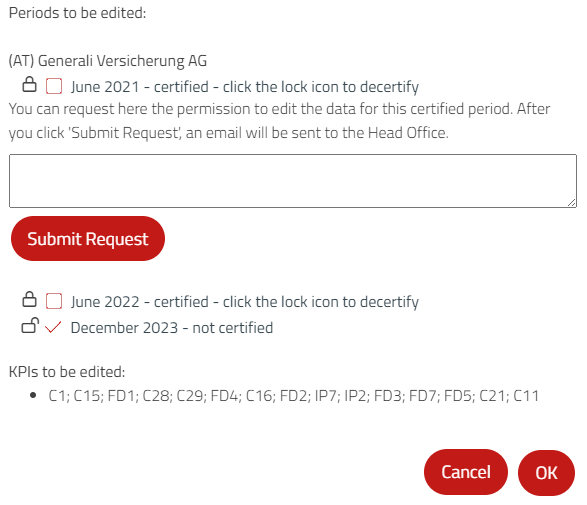
When the source data belongs to a certified period or otherwise protected scope, the application may require an explicit permission request before edits can be completed.
Confirming edited data
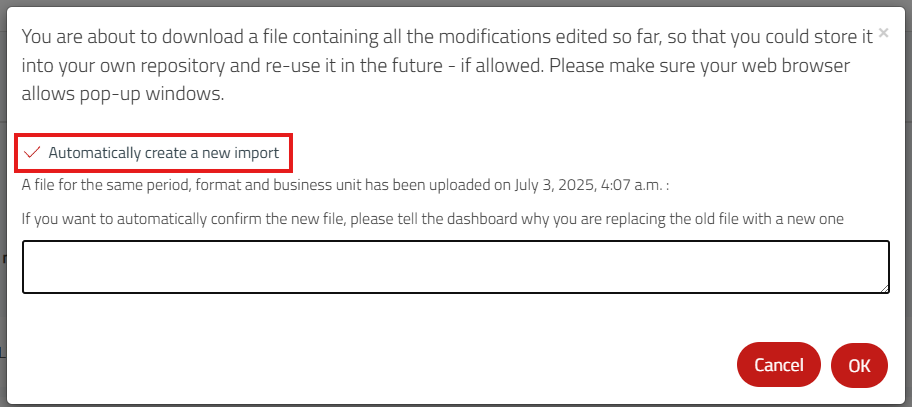
The last step closes the editing session and turns the reviewed changes into a reusable output for the import workflow.
Depending on configuration, the confirmation flow can include:
generating a file that contains all modifications made in the current session;
creating a new import automatically from that generated file;
adding a note that explains why existing data is being replaced;
deciding whether to cancel the operation or confirm it.
This step is important because editing alone does not make the changes permanent. Users should treat confirmation as the point where the session is finalized according to the project rules.
Making changes permanent
Saving data in the Composer is not the same as closing the process.
In general:
the session stores online edits;
the data becomes permanent only after the related confirmation workflow is completed;
the application can warn users that open editing sessions still need to be closed by confirming the data.
Because confirmation rules can depend on permissions, certification status, and project-specific configuration, users should always follow the confirmation messages shown by the platform.
Relation to imports
The Composer complements file imports rather than replacing them completely.
Compared with a standard file upload, online editing is useful when:
only a limited correction is needed;
the user wants to reuse existing uploaded data as a starting point;
validation issues should be fixed directly inside the application;
a project prefers interactive editing over repeated spreadsheet exchanges.