Share
AgrEGG supports several sharing and collaboration workflows. At the simplest level, users can share a whole dashboard or a single plot/table. The codebase also exposes richer collaboration features around saved shares, comments, recipients, and follow-up actions.
All shared objects visible to the user can be seen by clicking on the “All Shares” button on the top bar.
Dashboard
To share a dashboard, use the fifth button from the right on the top bar. A window with two links will appear: the first one is to see the dashboard a self-standing page, the second one to embed it.
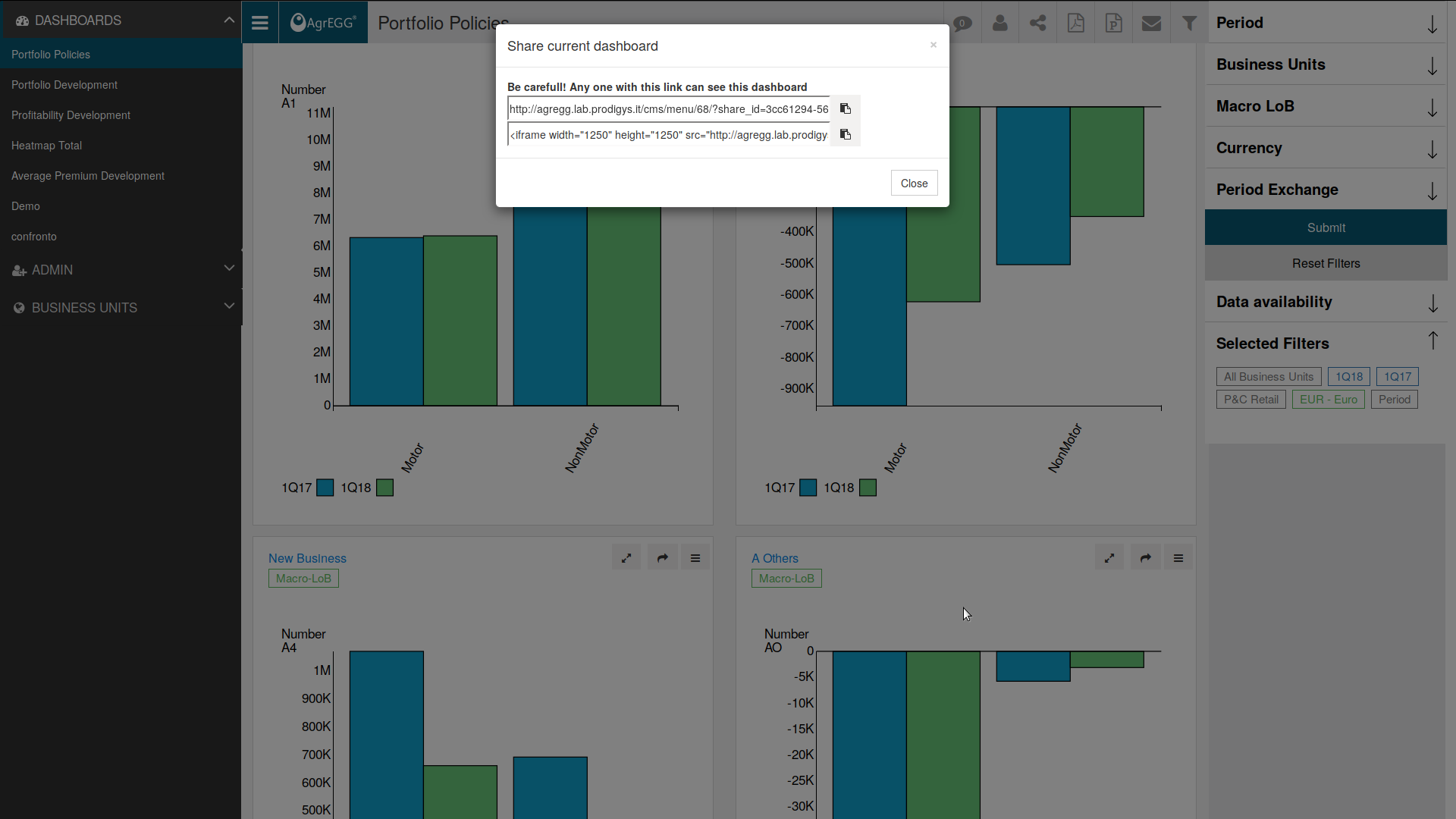
Embedding in an external website
Using the second link of the share window, it is possible to embed AgrEGG reports into public websites.
Pasting the link into the html of an external website will show the content of the chosen dashboard/report as an iframe.
It is not required to login into AgrEGG to visualize a shared report; however, everyone having the (automatically randomly generated) link will be able to view the report. To avoid this drawback, it is also possible to set the share permissions to force the user to login to AgrEGG to view the embedded report; this best works with single sign-on when logging with the company account.
Plot or table
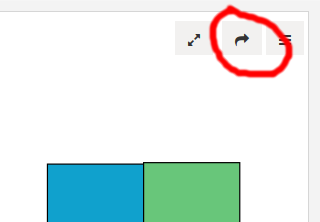
To share a single plot or table, click the arrow button on top of it.
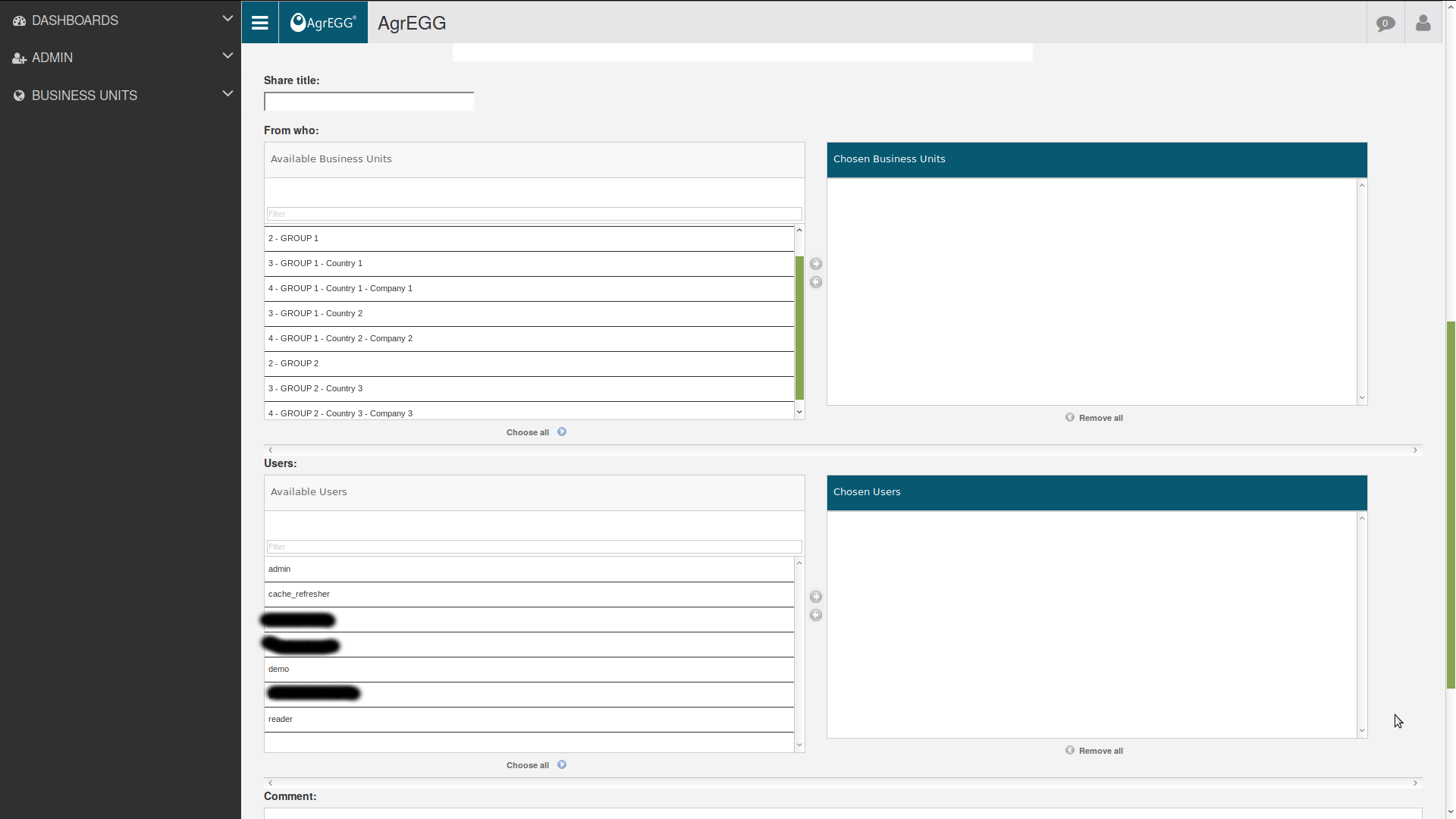
After clicking OK, you will be prompted to enter the title, the “from who” and the users you want it to share with, plus an optional comment.
Recipients and permissions
Sharing is recipient-aware. The implementation includes explicit recipient handling and helper routes for retrieving candidate email lists.
In practice, a share may involve:
a creator;
one or more target users;
optional access restrictions;
an expiration rule in some configurations.
As a result, a shared object is not necessarily public just because it has been created.
Additional collaboration flows
The broader collaboration tool also contains specialized workflows around shared data review.
Examples visible in the code are:
marking data as safe;
managing missing-import follow-up items;
creating empty share containers for later completion;
attaching images to a shared object.
These flows suggest that sharing in AgrEGG can be used both for presentation and for coordinated operational work.
Comments on shares
Shared objects can also support discussion.
The collaboration routes indicate dedicated features for:
opening a shared item;
adding comments to that shared context;
managing comment groups;
deleting comments when appropriate.
This makes sharing suitable not only for distribution, but also for review and follow-up conversations.